AI TOOLS 2024.
OpenAI has launched Canvas,an updated writing and coding interface that enhances ChatGPT’s capabilities beyond basic communication. The interface allows users to work on writing and coding projects side by side with ChatGPT, delivering real-time corrections, feedback, and ideas.
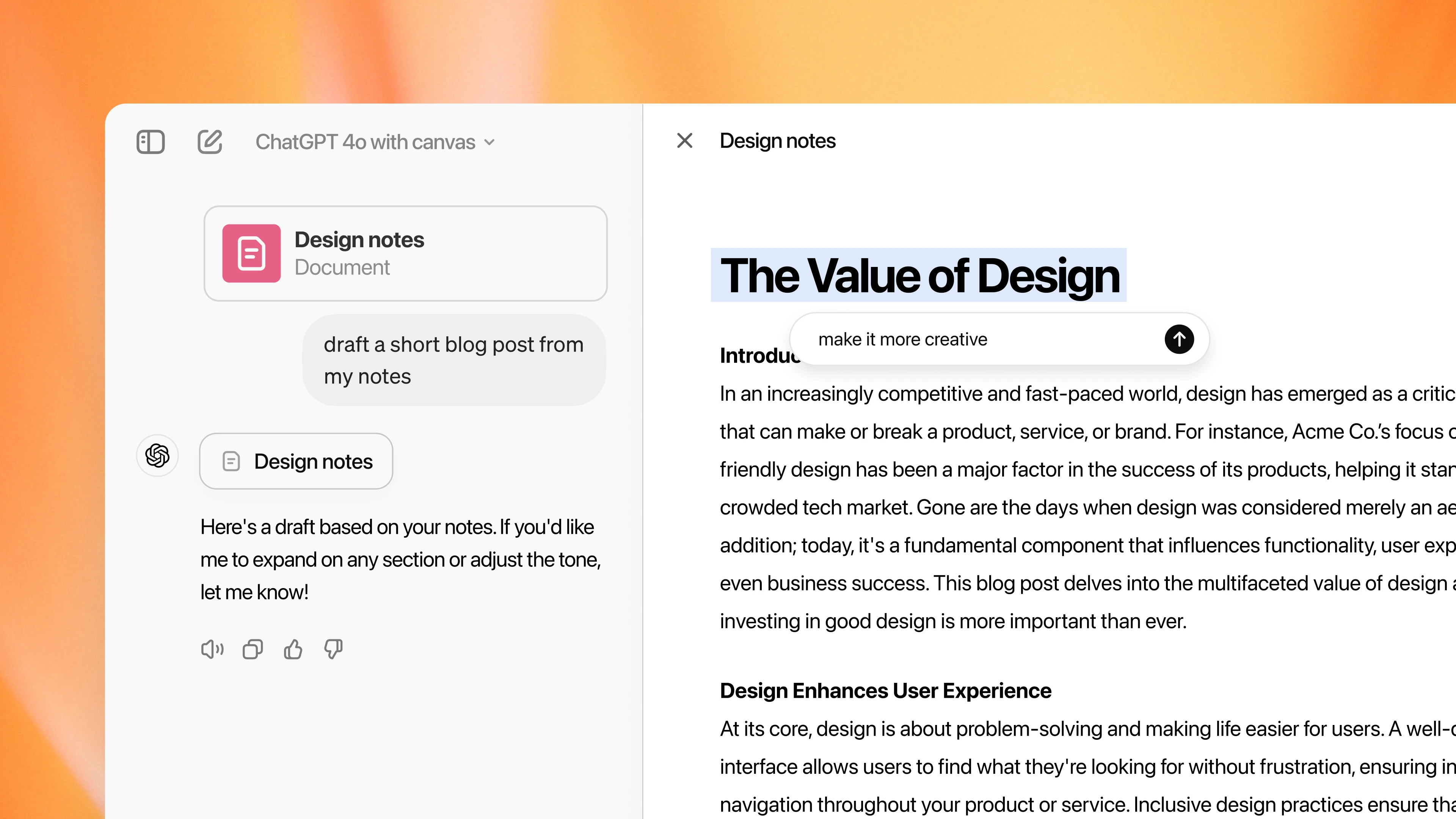
Canvas is already available to ChatGPT Plus and Team members worldwide. Next week, it will be made available to Enterprise and Edu users, with plans to launch for Free users after the beta period is over. Canvas can be manually chosen in the model picker and is integrated with GPT-4o.
With the addition of Canvas, ChatGPT can now comprehend user projects’ context more thoroughly. Users have the option to highlight particular portions, which enables ChatGPT to concentrate on those regions and offer inline comments and recommendations, akin to the function of a copy editor or code.
With Canvas, users may immediately change text or code and still have complete control over their projects. Quick activities like modifying writing length, troubleshooting code, and completing other tasks are made possible by a menu of shortcuts. Additionally, users can roll back versions of their work using the Canvas interface’s back button feature.
Multiple useful tools for developers are included in the coding shortcuts that are available in Canvas. Coding can be done more effectively by using ChatGPT, which can evaluate code and offer inline comments for improvement. It can also introduce print statements, or logs, to help with debugging and understanding the code.
Furthermore, ChatGPT may identify and rewrite problematic areas to repair errors as well as add comments to make the code easier to follow. Another key feature is the ability to port code to different languages, including JavaScript, TypeScript, Python, Java, C++, or PHP.
“Did OpenAI just kill Cursor (and all the other VSCode forks?),” posted a user on X.
“OpenAI could compete with Canvas CursorAI and other AI editors,” posted another user.
When the system recognizes complex scenarios, it launches Canvas automatically. Alternatively, the user can manually launch Canvas by responding to a prompt with “use canvas.”
According to OpenAI, when compared to baseline models, Canvas increases decision-making accuracy for when to initiate writing and coding jobs, reaching 83% and 94%, respectively.
GPT-4o has been trained by OpenAI to carry out focused edits in response to user input, increasing productivity for writing and coding tasks. During the beta period, the company plans to keep improving Canvas depending on user feedback.
Canvas vs. Claude’s Artifacts
Canvas’s separate window and model collaboration call to mind another chatbot with a window that allows people to clearly see any changes made through new prompts: Anthropic’s Claude Artifacts.
Claude Artifacts makes accessible and easy-to-understand interfaces an essential feature in chatbots and called it “this year’s most important AI feature.” Unlike Canvas, Artifacts is already generally available to all Claude chat users.
Additionally, artifacts allow users to preview the appearance of their created code by allowing them to instruct Claude to write code, alter it, and view the finished product—such as a working prototype of a website or game. Users can only see the created code and its surrounding modifications on Canvas.
Making chatbots simpler to read and use is a challenge that smaller, third-party AI programs have been attempting to solve, and it appears like OpenAI’s Canvas and Anthropic’s Artifacts are leading the charge in this new interface warfare.
Features like Canvas and even Artifacts might eventually become standard since more people want to use chatbots in a more efficient and team-oriented manner.